Leslie Pack Kaelbling is an American roboticist and the Panasonic Professor of Computer Science and Engineering at the Massachusetts Institute of Technology. She is widely recognized for adapting partially observable Markov decision processes from operations research for application in artificial intelligence and robotics. Kaelbling received the IJCAI Computers and Thought Award in 1997 for applying reinforcement learning to embedded control systems and developing programming tools for robot navigation. In 2000, she was elected as a Fellow of the Association for the Advancement of Artificial Intelligence. == Career == Kaelbling received an A. B. in Philosophy in 1983 and a Ph.D. in Computer Science in 1990, both from Stanford University. During this time she was also affiliated with the Center for the Study of Language and Information. She then worked at SRI International and the affiliated robotics spin-off Teleos Research before joining the faculty at Brown University. She left Brown in 1999 to join the faculty at MIT. Her research focuses on decision-making under uncertainty, machine learning, and sensing with applications to robotics. == Journal of Machine Learning Research == In the spring of 2000, she and two-thirds of the editorial board of the Kluwer-owned journal Machine Learning resigned in protest to its pay-to-access archives with simultaneously limited financial compensation for authors. Kaelbling co-founded and served as the first editor-in-chief of the Journal of Machine Learning Research, a peer-reviewed open access journal on the same topics which allows researchers to publish articles for free and retain copyright with its archives freely available online. In response to the mass resignation, Kluwer changed their publishing policy to allow authors to self-archive their papers online after peer-review. Kaelbling responded that this policy was reasonable and would have made the creation of an alternative journal unnecessary, but the editorial board members had made it clear they wanted such a policy and it was only after the threat of resignations and the actual founding of JMLR that the publishing policy finally changed. == Selected works == Reinforcement Learning: A Survey (LP Kaelbling, ML Littman, AW Moore). Journal of Artificial Intelligence Research (JAIR) 4 (1996) 237-285. A highly cited survey on the field of reinforcement learning. Planning and acting in partially observable stochastic domains (LP Kaelbling, ML Littman, AR Cassandra). Artificial Intelligence 101 (1), 99-134. Acting under uncertainty: Discrete Bayesian models for mobile-robot navigation (AR Cassandra, LP Kaelbling, JA Kurien). Intelligent Robots and Systems (2) 963-972. The synthesis of digital machines with provable epistemic properties (SJ Rosenschein, LP Kaelbling). Proceedings of the 1986 Conference on Theoretical Aspects of Reasoning about Knowledge, 83-98. Practical reinforcement learning in continuous spaces (WD Smart, LP Kaelbling). 2000 International Conference on Machine Learning (ICML), 903-910. Hierarchical task and motion planning in the now (LP Kaelbling, T Lozano-Pérez). 2011 IEEE International Conference on Robotics and Automation (ICRA), 1470-1477.
PhyCV
PhyCV is the first computer vision library which utilizes algorithms directly derived from the equations of physics governing physical phenomena. The algorithms appearing in the first release emulate the propagation of light through a physical medium with natural and engineered diffractive properties followed by coherent detection. Unlike traditional algorithms that are a sequence of hand-crafted empirical rules, physics-inspired algorithms leverage physical laws of nature as blueprints. In addition, these algorithms can, in principle, be implemented in real physical devices for fast and efficient computation in the form of analog computing. Currently PhyCV has three algorithms, Phase-Stretch Transform (PST) and Phase-Stretch Adaptive Gradient-Field Extractor (PAGE), and Vision Enhancement via Virtual diffraction and coherent Detection (VEViD). All algorithms have CPU and GPU versions. PhyCV is now available on GitHub and can be installed from pip. == History == Algorithms in PhyCV are inspired by the physics of the photonic time stretch (a hardware technique for ultrafast and single-shot data acquisition). PST is an edge detection algorithm that was open-sourced in 2016 and has 800+ stars and 200+ forks on GitHub. PAGE is a directional edge detection algorithm that was open-sourced in February, 2022. PhyCV was originally developed and open-sourced by Jalali-Lab @ UCLA in May 2022. In the initial release of PhyCV, the original open-sourced code of PST and PAGE is significantly refactored and improved to be modular, more efficient, GPU-accelerated and object-oriented. VEViD is a low-light and color enhancement algorithm that was added to PhyCV in November 2022. == Background == === Phase-Stretch Transform (PST) === Phase-Stretch Transform (PST) is a computationally efficient edge and texture detection algorithm with exceptional performance in visually impaired images. The algorithm transforms the image by emulating propagation of light through a device with engineered diffractive property followed by coherent detection. It has been applied in improving the resolution of MRI image, extracting blood vessels in retina images, dolphin identification, and waste water treatment, single molecule biological imaging, and classification of UAV using micro Doppler imaging. === Phase-Stretch Adaptive Gradient-Field Extractor (PAGE) === Phase-Stretch Adaptive Gradient-Field Extractor (PAGE) is a physics-inspired algorithm for detecting edges and their orientations in digital images at various scales. The algorithm is based on the diffraction equations of optics. Metaphorically speaking, PAGE emulates the physics of birefringent (orientation-dependent) diffractive propagation through a physical device with a specific diffractive structure. The propagation converts a real-valued image into a complex function. Related information is contained in the real and imaginary components of the output. The output represents the phase of the complex function. === Vision Enhancement via Virtual diffraction and coherent Detection (VEViD) === Vision Enhancement via Virtual diffraction and coherent Detection (VEViD) an efficient and interpretable low-light and color enhancement algorithm that reimagines a digital image as a spatially varying metaphoric light field and then subjects the field to the physical processes akin to diffraction and coherent detection. The term “Virtual” captures the deviation from the physical world. The light field is pixelated and the propagation imparts a phase with an arbitrary dependence on frequency which can be different from the quadratic behavior of physical diffraction. VEViD can be further accelerated through mathematical approximations that reduce the computation time without appreciable sacrifice in image quality. A closed-form approximation for VEViD which we call VEViD-lite can achieve up to 200 FPS for 4K video enhancement. == PhyCV on the Edge == Featuring low-dimensionality and high-efficiency, PhyCV is ideal for edge computing applications. In this section, we demonstrate running PhyCV on NVIDIA Jetson Nano in real-time. === NVIDIA Jetson Nano Developer Kit === NVIDIA Jetson Nano Developer Kit is a small- sized and power-efficient platform for edge computing applications. It is equipped with an NVIDIA Maxwell architecture GPU with 128 CUDA cores, a quad-core ARM Cortex-A57 CPU, 4GB 64-bit LPDDR4 RAM, and supports video encoding and decoding up to 4K resolution. Jetson Nano also offers a variety of interfaces for connectivity and expansion, making it ideal for a wide range of AI and IoT applications. In our setup, we connect a USB camera to the Jetson Nano to acquire videos and demonstrate using PhyCV to process the videos in real-time. === Real-time PhyCV on Jetson Nano === We use the Jetson Nano (4GB) with NVIDIA JetPack SDK version 4.6.1, which comes with pre- installed Python 3.6, CUDA 10.2, and OpenCV 4.1.1. We further install PyTorch 1.10 to enable the GPU accelerated PhyCV. We demonstrate the results and metrics of running PhyCV on Jetson Nano in real-time for edge detection and low-light enhancement tasks. For 480p videos, both operations achieve beyond 38 FPS, which is sufficient for most cameras that capture videos at 30 FPS. For 720p videos, PhyCV low-light enhancement can operate at 24 FPS and PhyCV edge detection can operate at 17 FPS. == Highlights == === Modular Code Architecture === The code in PhyCV has a modular design which faithfully follows the physical process from which the algorithm was originated. Both PST and PAGE modules in the PhyCV library emulate the propagation of the input signal (original digital image) through a device with engineered diffractive property followed by coherent (phase) detection. The dispersive propagation applies a phase kernel to the frequency domain of the original image. This process has three steps in general, loading the image, initializing the kernel and applying the kernel. In the implementation of PhyCV, each algorithm is represented as a class in Python and each class has methods that simulate the steps described above. The modular code architecture follows the physics behind the algorithm. Please refer to the source code on GitHub for more details. === GPU Acceleration === PhyCV supports GPU acceleration. The GPU versions of PST and PAGE are built on PyTorch accelerated by the CUDA toolkit. The acceleration is beneficial for applying the algorithms in real-time image video processing and other deep learning tasks. The running time per frame of PhyCV algorithms on CPU (Intel i9-9900K) and GPU (NVIDIA TITAN RTX) for videos at different resolutions are shown below. Note that the PhyCV low-light enhancement operates in the HSV color space, so the running time also includes RGB to HSV conversion. However, for all running times using GPUs, we ignore the time of moving data from CPUs to GPUs and count the algorithm operation time only. == Installation and Examples == Please refer to the GitHub README file for a detailed technical documentation. == Current Limitations == === I/O (Input/Output) Bottleneck for Real-time Video Processing === When dealing with real-time video streams from cameras, the frames are captured and buffered in CPU and have to be moved to GPU to run the GPU-accelerated PhyCV algorithms. This process is time-consuming and it is a common bottleneck for real-time video-processing algorithms. === Lack of Parameter Adaptivity for Different Images === Currently, the parameters of PhyCV algorithms have to be manually tuned for different images. Although a set of pre-selected parameters work relatively well for a wide range of images, the lack of parameter adaptivity for different images remains a limitation for now.
Desktop Window Manager
Desktop Window Manager (DWM, previously Desktop Compositing Engine or DCE in builds of pre-reset Windows Longhorn) is the compositing window manager in Microsoft Windows since Windows Vista that enables the use of hardware acceleration to render the graphical user interface of Windows. It was originally created to enable portions of the new "Windows Aero" user experience, which allowed for effects such as transparency, 3D window switching and more. It is also included with Windows Server 2008, but requires the "Desktop Experience" feature and compatible graphics drivers to be installed. == Architecture == The Desktop Window Manager is a compositing window manager, meaning that each program has a buffer that it writes data to; DWM then composites each program's buffer into a final image. By comparison, the stacking window manager in Windows XP and earlier (and also Windows Vista and Windows 7 with Windows Aero disabled) comprises a single display buffer to which all programs write. DWM works in different ways depending on the operating system (Windows 7 or Windows Vista) and on the version of the graphics drivers it uses (WDDM 1.0 or 1.1). Under Windows 7 and with WDDM 1.1 drivers, DWM only writes the program's buffer to the video RAM, even if it is a graphics device interface (GDI) program. This is because Windows 7 supports (limited) hardware acceleration for GDI and in doing so does not need to keep a copy of the buffer in system RAM so that the CPU can write to it. Because the compositor has access to the graphics of all applications, it easily allows visual effects that string together visuals from multiple applications, such as transparency. DWM uses DirectX to perform the function of compositing and rendering in the GPU, freeing the CPU of the task of managing the rendering from the off-screen buffers to the display. However, it does not affect applications painting to the off-screen buffers – depending on the technologies used for that, this might still be CPU-bound. DWM-agnostic rendering techniques like GDI are redirected to the buffers by rendering the user interface (UI) as bitmaps. DWM-aware rendering technologies like WPF directly make the internal data structures available in a DWM-compatible format. The window contents in the buffers are then converted to DirectX textures. The desktop itself is a full-screen Direct3D surface, with windows being represented as a mesh consisting of two adjacent (and mutually inverted) triangles, which are transformed to represent a 2D rectangle. The texture, representing the UI chrome, is then mapped onto these rectangles. Window transitions are implemented as transformations of the meshes, using shader programs. With Windows Vista, the transitions are limited to the set of built-in shaders that implement the transformations. Greg Schechter, a developer at Microsoft has suggested that this might be opened up for developers and users to plug in their own effects in a future release. DWM only maps the primary desktop object as a 3D surface; other desktop objects, including virtual desktops as well as the secure desktop used by User Account Control are not. Because all applications render to an off-screen buffer, they can be read off the buffer embedded in other applications as well. Since the off-screen buffer is constantly updated by the application, the embedded rendering will be a dynamic representation of the application window and not a static rendering. This is how the live thumbnail previews and Windows Flip work in Windows Vista and Windows 7. DWM exposes a public API that allows applications to access these thumbnail representations. The size of the thumbnail is not fixed; applications can request the thumbnails at any size - smaller than the original window, at the same size or even larger - and DWM will scale them properly before returning. Aero Flip does not use the public thumbnail APIs as they do not allow for directly accessing the Direct3D textures. Instead, Aero Flip is implemented directly in the DWM engine. The Desktop Window Manager uses Media Integration Layer (MIL), the unmanaged compositor which it shares with Windows Presentation Foundation, to represent the windows as composition nodes in a composition tree. The composition tree represents the desktop and all the windows hosted in it, which are then rendered by MIL from the back of the scene to the front. Since all the windows contribute to the final image, the color of a resultant pixel can be decided by more than one window. This is used to implement effects such as per-pixel transparency. DWM allows custom shaders to be invoked to control how pixels from multiple applications are used to create the displayed pixel. The DWM includes built-in Pixel Shader 2.0 programs which compute the color of a pixel in a window by averaging the color of the pixel as determined by the window behind it and its neighboring pixels. These shaders are used by DWM to achieve the blur effect in the window borders of windows managed by DWM, and optionally for the areas where it is requested by the application. Since MIL provides a retained mode graphics system by caching the composition trees, the job of repainting and refreshing the screen when windows are moved is handled by DWM and MIL, freeing the application of the responsibility. The background data is already in the composition tree and the off-screen buffers and is directly used to render the background. In pre-Vista Windows OSs, background applications had to be requested to re-render themselves by sending them the WM_PAINT message. DWM uses double-buffered graphics to prevent flickering and tearing when moving windows. The compositing engine uses optimizations such as culling to improve performance, as well as not redrawing areas that have not changed. Because the compositor is multi-monitor aware, DWM natively supports this too. During full-screen applications, such as games, DWM does not perform window compositing and therefore performance will not appreciably decrease. On Windows 8 and Windows Server 2012, DWM is used at all times and cannot be disabled, due to the new "start screen experience" implemented. Since the DWM process is usually required to run at all times on Windows 8, users experiencing an issue with the process are seeing memory usage decrease after a system reboot. This is often the first step in a long list of troubleshooting tasks that can help. It is possible to prevent DWM from restarting temporarily in Windows 8, which causes the desktop to turn black, the taskbar grey, and break the start screen/modern apps, but desktop apps will continue to function and appear just like Windows 7 and Vista's Basic theme, based on the single-buffer renderer used by XP. They also use Windows 8's centered title bar, visible within Windows PreInstallation Environment. Starting up Windows without DWM will not work because the default lock screen requires DWM unlike the fallback lockscreen that appears as a command line interface program when Windows.UI.Logon.dll isn't present on Windows versions such as 1507 and later, so it can only be done on the fly, and does not have any practical purposes. Starting with Windows 10, disabling DWM in such a way will cause the entire compositing engine to break, even traditional desktop apps, due to Universal App implementations in the taskbar and new start menu. Windows can still be partially usable without the presence of DWM but requires Sihost.exe to not be present due to it relying on DWM. Most of the applications in Windows 11 require DWM to render UI elements and transparency, Windows 11's new task manager requires dwm to render menus unlike the fallback -d version. Unlike its predecessors, Windows 8 supports basic display adapters through Windows Advanced Rasterization Platform (WARP), which uses software rendering and the CPU to render the interface rather than the graphics card. This allows DWM to function without compatible drivers, but not at the same level of performance as with a normal graphics card. DWM on Windows 8 also adds support for stereoscopic 3D. == Redirection == For rendering techniques that are not DWM-aware, output must be redirected to the DWM buffers. With Windows, either GDI or DirectX can be used for rendering. To make these two work with DWM, redirection techniques for both are provided. With GDI, which is the most used UI rendering technique in Microsoft Windows, each application window is notified when it or a part of it comes in view and it is the job of the application to render itself. Without DWM, the rendering rasterizes the UI in a buffer in video memory, from where it is rendered to the screen. Under DWM, GDI calls are redirected to use the Canonical Display Driver (cdd.dll), a software renderer. A buffer equal to the size of the window is allocated in system memory and CDD.DLL outputs to this buffer rather than the video memory. Another buffer is allocated in the video memory to represent t
Edits (app)
Edits is an American photo and short form video editing software service owned by Meta Platforms. It allows users to create videos and edit them by using features like green screens, and AI animation, and also provides real-time statistics to Instagram creators to track their accounts. Accounts directly from Instagram can be imported, and videos can be exported vice-versa. It is available solely on iOS and Android. On Apple, it supports over 32 different languages, including French, Spanish, and Chinese. It has been noted by critics as a direct competitor for apps like CapCut, owned by Chinese brand ByteDance. The Instagram head, Adam Mosseri, also acknowledged these similarities. Launched on April 22 for both iOS and Android. It received over 5M+ users on Apple and Android combined in its first 4 days since its launch. == History == On January 19, 2025, following the ban of all ByteDance Apps from the Google Play Store, and App Store, Instagram head Adam Mosseri announced on Threads that they would be launching the app in February for iOS, followed by an Android counterpart. He said the app is working with select people to test its features. In a separate post, he emphasized that the app is "more for creators than casual video makers". == Features == Edits contains many similar features to other competition of video editors like KineMaster, Inshot, and CapCut. When creating a video, users have the option to export in resolution of HD, 4K, and 2K, along with having HDR and SDR support. Like many traditional video editing software, it includes a timeline, and basic undo-redo buttons. On the bottom bar, 7 tabs for editing exist, namely the Split, Volume, Adjust, Speed, Delete, Filters, Green Screen, Voice FX, Extract Audio, Mirror, Slip, Replace and Duplicate bars. Basic features, like splitting, and adjusting speed and volume of clips are present, along with more advanced Green Screens, and AI features. Being a mobile video editor app, Edits also has drag-and-drop features to ease customer usage. Users have the ability to record videos directly within the app. This feature allows users to create content without needing extra software or devices. They can choose from several focal lengths, which affect how close or wide the shot appears. The app also supports different frame rates. Users have the ability to record videos directly within the app. This feature allows users to create content without needing extra software or devices. Once users are done filming your clips, they can simply transfer them into a project to start editing immediately. Upcoming features for the app include Keyframes, AI-powered modification, Collaboration, and Enhanced creativity. == Reception == Since its release, it received over 5 million downloads in 4 days. Critically, the app received great rankings from many. From users, the app received an average of 4.45 stars over Google Play Store and App Store in the first few days, with Google Play Store receiving the least stars. As in reviews, it was received mixed by the public. Many people praised the smoothness and intuivity of the app. "The app is more than just a basic editor, offering a full suite of creative tools, including a dedicated tab for inspiration and trending audio, as well as a tab for managing drafts," said a blogger. Some users were disappointed with the range of editing tools, some users have noted that it could benefit from more transition options between clips. Some even reported crashing between clips.
ImageMixer
ImageMixer is a brand name of video editing software that edits digital video and still image in camcorders and authors to VCD and DVD. It is a second-party Japanese product, distributed by Pixela Corporation, a Japanese manufacturer of PC peripheral hardware and multimedia software. == Bundling == ImageMixer is widely used for several camcorder brands, such as JVC, Hitachi and Canon. Also, Sony has chosen to package ImageMixer with its DVD and HDD Handycam. == ImageMixer series == ImageMixer has other series of software for digital camera, such as ImageMixer Label Maker and ImageMixer DVD dubbing. ImageMixer also has movie editing solution for Macintosh. == Windows Vista version of ImageMixer == A Windows Vista version of ImageMixer has been developed (ImageMixer3).
Render layers
When creating computer-generated imagery, final scenes appearing in movies and television productions are usually produced by rendering more than one "layer" or "pass," which are multiple images designed to be put together through digital compositing to form a completed frame. Rendering in passes is based on a traditions in motion control photography which predate CGI. As an example, for a visual effects shot, a camera could be programmed to move past a physical model of a spaceship in one pass to film the fully lit beauty pass of the ship, and then to repeat exactly the same camera move passing the ship again to photograph additional elements such as the illuminated windows in the ship or its thrusters. Once all of the passes were filmed, they could then be optically printed together to form a completed shot. The terms render layers and render passes are sometimes used interchangeably. However, rendering in layers refers specifically to separating different objects into separate images, such as a layer each for foreground characters, sets, distant landscape, and sky. On the other hand, rendering in passes refers to separating out different aspects of the scene, such as shadows, highlights, or reflections, into separate images.
Behavior-based robotics
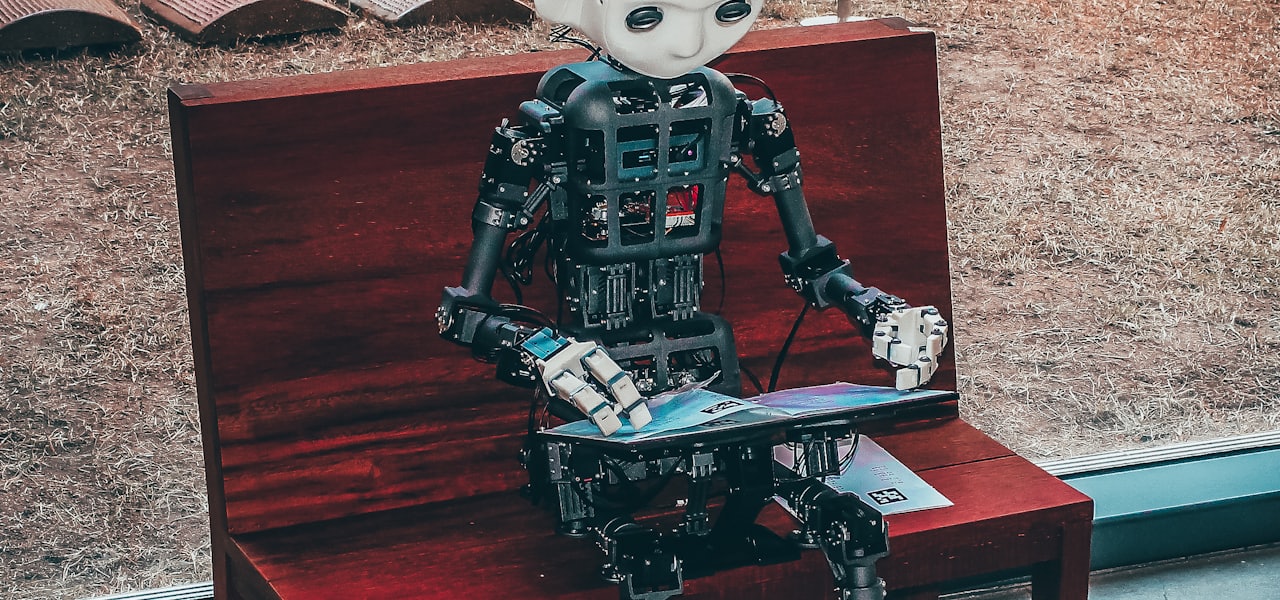
Behavior-based robotics (BBR) or behavioral robotics is an approach in robotics that focuses on robots that are able to exhibit complex-appearing behaviors despite little internal variable state to model its immediate environment, mostly gradually correcting its actions via sensory-motor links. == Principles == Behavior-based robotics sets itself apart from traditional artificial intelligence by using biological systems as a model. Classic artificial intelligence typically uses a set of steps to solve problems, it follows a path based on internal representations of events compared to the behavior-based approach. Rather than use preset calculations to tackle a situation, behavior-based robotics relies on adaptability. This advancement has allowed behavior-based robotics to become commonplace in researching and data gathering. Most behavior-based systems are also reactive, which means they need no programming of what a chair looks like, or what kind of surface the robot is moving on. Instead, all the information is gleaned from the input of the robot's sensors. The robot uses that information to gradually correct its actions according to the changes in immediate environment. Behavior-based robots (BBR) usually show more biological-appearing actions than their computing-intensive counterparts, which are very deliberate in their actions. A BBR often makes mistakes, repeats actions, and appears confused, but can also show the anthropomorphic quality of tenacity. Comparisons between BBRs and insects are frequent because of these actions. BBRs are sometimes considered examples of weak artificial intelligence, although some have claimed they are models of all intelligence. == Features == Most behavior-based robots are programmed with a basic set of features to start them off. They are given a behavioral repertoire to work with dictating what behaviors to use and when, obstacle avoidance and battery charging can provide a foundation to help the robots learn and succeed. Rather than build world models, behavior-based robots simply react to their environment and problems within that environment. They draw upon internal knowledge learned from their past experiences combined with their basic behaviors to resolve problems. == History == The school of behavior-based robots owes much to work undertaken in the 1980s at the Massachusetts Institute of Technology by Rodney Brooks, who with students and colleagues built a series of wheeled and legged robots utilizing the subsumption architecture. Brooks' papers, often written with lighthearted titles such as "Planning is just a way of avoiding figuring out what to do next", the anthropomorphic qualities of his robots, and the relatively low cost of developing such robots, popularized the behavior-based approach. Brooks' work builds—whether by accident or not—on two prior milestones in the behavior-based approach. In the 1950s, W. Grey Walter, an English scientist with a background in neurological research, built a pair of vacuum tube-based robots that were exhibited at the 1951 Festival of Britain, and which have simple but effective behavior-based control systems. The second milestone is Valentino Braitenberg's 1984 book, "Vehicles – Experiments in Synthetic Psychology" (MIT Press). He describes a series of thought experiments demonstrating how simply wired sensor/motor connections can result in some complex-appearing behaviors such as fear and love. Later work in BBR is from the BEAM robotics community, which has built upon the work of Mark Tilden. Tilden was inspired by the reduction in the computational power needed for walking mechanisms from Brooks' experiments (which used one microcontroller for each leg), and further reduced the computational requirements to that of logic chips, transistor-based electronics, and analog circuit design. A different direction of development includes extensions of behavior-based robotics to multi-robot teams. The focus in this work is on developing simple generic mechanisms that result in coordinated group behavior, either implicitly or explicitly.